
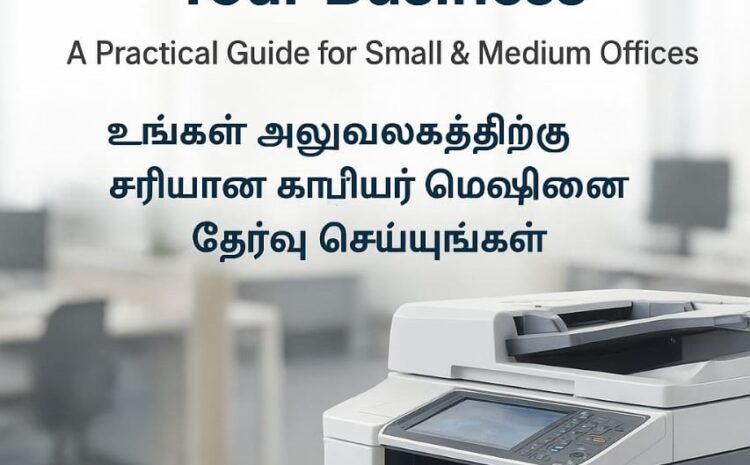
How to Choose the Right Photocopier for Your Business — A Practical Guide for Small & Medium Offices And Shop
Buying a photocopier? Learn how to pick the right model for your office needs — cost, speed, features, maintenance tips, and local service in Chennai. Call 97899 74142.
Introduction
Choosing the right photocopier for your office isn’t just about price — it’s about matching features, reliability, and support to the way your team works. With over 10 years in the field, Assured Copier Solutions (Pallavaram, Chennai) helps businesses across Tamil Nadu pick and maintain the perfect machine. Here’s a simple, practical guide to make the decision painless.
1. Start with your printing & copying volume
Estimate how many pages your office produces monthly:
Low: fewer than 1,000 pages/month — personal or very small office
Medium: 1,000–5,000 pages/month — small business
High: 5,000+ pages/month — busy office or print-heavy environment
Match the copier’s duty cycle to your volume (don’t buy a low-duty machine for heavy use).
2. Consider speed (CPM) and productivity features
CPM (copies per minute): Higher CPM helps busy offices finish jobs faster.
Duplexing (automatic double-sided): Saves paper and time.
Network/Cloud printing & scanning: Essential if multiple users print from desktops or phones.
Finishing options: Stapling, sorting, and hole-punch are useful for proposals and reports.
3. Decide between monochrome vs colour
Monochrome (black & white): Lower cost per page — ideal for text-heavy printing.
Colour: Needed for marketing materials, client-ready reports, and presentations. Choose based on how often you’ll need colour prints.
4. Total Cost of Ownership (TCO) — not just the sticker price
When comparing models, calculate:
Purchase price and any one-time setup fees
Toner and consumable costs (cost per page)
Service & maintenance fees or service contract options
Electricity consumption and expected spare-parts costs
A slightly higher upfront cost can be worth it if running costs and downtime are lower.
5. Size, footprint & location
Measure the space where the machine will live. Leave room for paper trays, maintenance access, and operator movement.
6. Ease of use & training
Look for:
Intuitive touchscreen controls
Simple mobile/PC printing setup
Easy instructions for replacing toner/paper
A machine staff can use without lengthy training saves time and reduces errors.
7. Reliability & local service support
Fast, local service reduces downtime. Ask potential suppliers:
Typical response time for service calls
Availability of spare parts and technicians
Preventive maintenance plans and service contracts
At Assured Copier Solutions we offer on-site servicing across Chennai and Tamil Nadu — quick response, genuine parts, and routine maintenance packages.
8. Environmental & security features
Energy-saving modes reduce power bills.
Secure printing (PIN release) and data overwrite features protect sensitive documents.
Recommended checklist before you buy
- Monthly page volume — estimated.
- Required features (duplex, colour, finishing).
- Budget for purchase + consumables + maintenance.
- Local service contract & SLA (response time).
- Test the machine in person if possible.
Quick FAQs
Q: Should I buy new or a refurbished machine?
A: Refurbished units can be cost-effective if they come with a warranty and have been inspected by a trusted technician. New machines offer the latest features and longer warranties.
Q: How often should I service a copier?
A: Preventive maintenance every 6–12 months (or sooner for heavy use) keeps the machine reliable and reduces unexpected downtime.
Q: What does a good service contract include?
A: Fast on-site response, regular preventive checks, access to genuine spare parts, and transparent pricing for consumables and repairs.
Contact Us
Need help choosing a model or want a demo? Call 97899 74142 or visit assuredcopiersolutions.com. We’ll assess your needs and recommend the best copier and service plan for your business.