
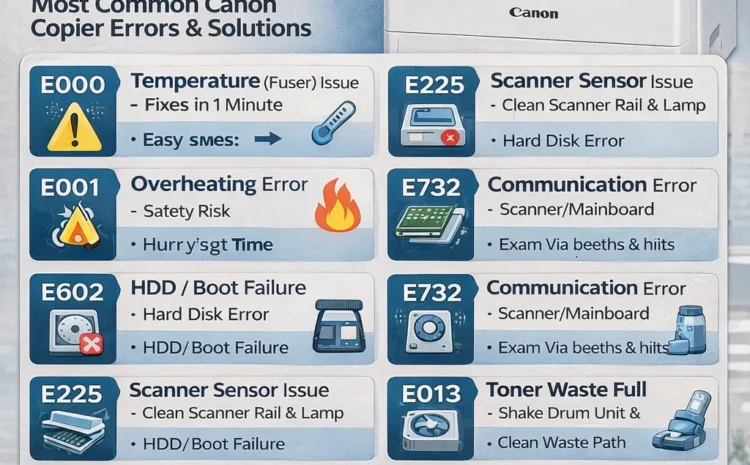
Top 10 Canon Photocopier Error Codes & Easy Fixes – Complete Guide
Introduction
Canon photocopiers are widely used in offices, schools, commercial shops, and corporate environments because of their reliability and print quality.
However, like any machine, they display error codes when something isn’t working correctly.
Most Canon copier errors look confusing — E000, E225, E732, E013 — but the good news is that many can be fixed quickly with simple steps.
This guide explains the Top 10 Canon copier errors, their meaning, and the easiest solutions.
H2: 1. Canon Error E000 – Fixing Temperature Error (Fuser Issue)
Meaning:
The copier’s fuser unit did not heat to the required temperature.
Causes:
- Fuser lamp failure
- Thermistor issue
- Power fluctuation
Easy Fix:
- Turn OFF the copier → Wait 1 minute → Turn ON.
- Check if the room has stable power.
When to call a technician:
If the error repeats → the fuser assembly must be serviced or replaced.
H2: 2. Canon Error E001 – Overheating Error
Meaning:
The fuser is overheating beyond safety limits.
Easy Fix:
- Switch off the machine immediately.
- Allow 5 minutes to cool down.
Cause:
- Faulty thermistor
- Faulty DC controller
Call technician:
Required — overheating is a safety risk.
H2: 3. Canon Error E602 – HDD / Boot Failure
Meaning:
The copier cannot read system data.
Common Causes:
- Corrupted HDD
- Faulty mainboard
- Firmware issue
Easy Fix:
- Restart the copier
- Remove power cable and reconnect
Service Required:
Hard disk reformat or replacement.
H2: 4. Canon Error E225 – Scanner Sensor Issue
Meaning:
Scanner lamp or CIS sensor is not functioning.
Easy Fix:
- Restart machine
- Open scanner and clean the glass
- Ensure the scanner moves freely
When to call service:
If lamp/CIS is faulty → replacement needed.
H2: 5. Canon Error E732 – Communication Error (Scanner/Main Board)
Meaning:
Machine cannot communicate with the scanner.
Easy Fix:
- Power restart
- Remove any jammed paper under scanner
- Clean the scanner rail
Service Fix:
Scanner motor / mainboard alignment required.
H2: 6. Canon Error E013 – Toner Waste Full / Sensor Error
Meaning:
The waste toner section is full OR sensor isn’t detecting properly.
Quick Fix:
- Shake drum unit
- Clean toner waste path (if trained)
Service:
Waste toner gear or sensor cleaning.
H2: 7. Canon Error E007 – Fixing Film Rotation Problem
Meaning:
Fixing film is not rotating.
Cause:
- Film tear
- Gear damage
- Dirty pressure roller
Fix:
Service needed → fixing film assembly replacement.
H2: 8. Canon Error E804 – Cooling Fan Fault
Meaning:
Internal cooling fan not working.
Fix:
- Check dust buildup
- Restart machine
Service Required:
Fan replacement.
H2: 9. Canon Error E301 – Scanner Reading Error
Meaning:
Image sensor unable to read document properly.
Easy Fix:
- Clean scanner glass
- Clean white reference area
- Check for bright lights hitting scanner
H2: 10. Canon Error E569 – Finisher / Stapler Error
Meaning:
Finisher (if connected) not functioning properly.
Fix:
- Remove jammed paper
- Reset finisher
- Check stapler cartridge
H2: Bonus: Most Common Canon IR Series Errors (Quick Cheatsheet)
| Error Code | Meaning |
|---|---|
| E000 | Low temp / Fuser issue |
| E001 | Overheat |
| E225 | Scanner malfunction |
| E602 | HDD/Boot error |
| E732 | Scanner communication |
| E013 | Toner waste full |
| E007 | Fixing film error |
| E805 | Fan / low voltage |
| E301 | Scanner read error |
| E569 | Finisher error |
H2: When Should You Call a Canon Service Technician?
You should request professional service when:
- The same error repeats often
- The machine makes unusual noise
- You smell burning or overheating
- Print quality becomes very poor
- Error code starts with E0, E2, E7 (usually mechanical)
Conclusion
Canon photocopier error codes may look complex, but most are easy to understand when you know what they mean.
For businesses in Chennai & Tamil Nadu, quick service and genuine spare parts ensure long-term copier performance.
If your Canon copier is showing any of these errors, contact us for expert support
📞 97899 74142
🌐 assuredcopiersolutions.com
Assured Copier Solutions – Tamil Nadu
Canon • Konica Minolta • Kyocera • HP Photocopier Specialists